Explorer context menu display bugs
I’m a paid user using Windows 11 with Explorer Patcher. Here’s my report:
Bug Description
Broken/duplication Explorer context menu display caused by TeraCopy context menu.
System Environment
TeraCopy Version: Pro 4 Build 37
OS Version: Windows 11 25H2
OS Build: 262008655
ExplorerPatcher Version: 26100.8457.70.3
Steps to Reproduce
Setting ExplorerPatcher as below in screenshot 1.

TeraCopy Uncheck Add to Explorer context menu
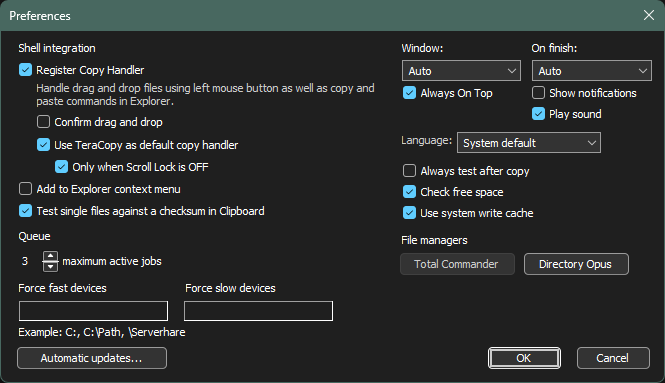
Right click on any files or folder on Explorer.
Expected Behavior
The context menu should display a clean list without TeraCopy lines.
Or TeraCopy only shows once if “Add to Explorer context menu” is checked.
Actual Behavior
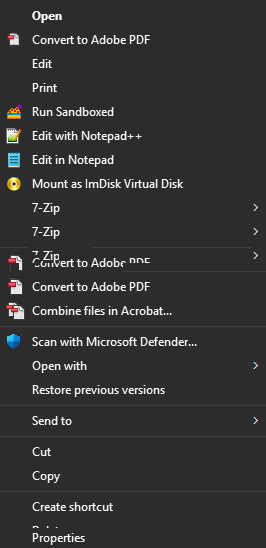
If unchecked, the context menu display is broken with overlapping text. As shown in screenshots:

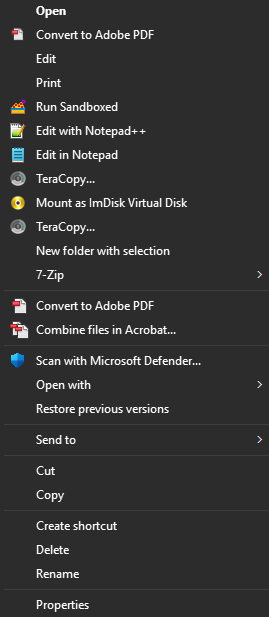
If checked, then context menu shows duplicated lines of “TeraCopy…”:
Troubleshooting Already Attempted
Confirmed the problem is not from ExplorerPatcher itself as other shell contexts work fine with it.
Using Windows Context Menu Manager to manually disable every TeraCopy context menu item fixs the problem immediately.
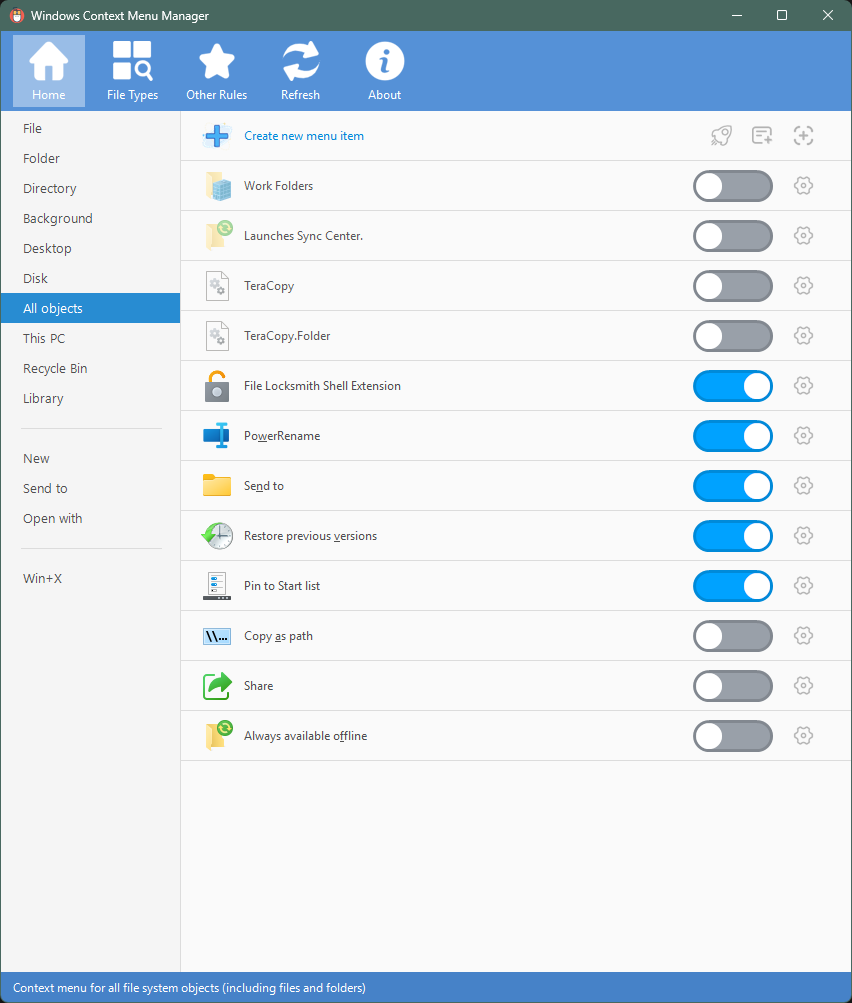
However the problem reappears everytime I update TeraCopy and I have to manually find and disable all of them. It’s very annoying, please have a look at it. Thank you.
Log in to comment and vote
Comments1
A W
Jul 20
I thought it was fixed, but I can confirm it’s still there in 4.0.3.2